The JLab JBuds Work review centers on a practical office headset for people who want the choice of Bluetooth or a cable and controls close at hand.
Its over-ear design and long worktime suit extended desk use, while the microphone and fit remain personal considerations.
JBuds Work Review Summary
The quick verdict

1,000+ ratings
Read Amazon ReviewsJLab JBuds Work
A fit for desk workers who want wired or wireless connections, long worktime and headset controls in one over-ear design.
- Bluetooth connection to PC, Mac and mobile devices, with multipoint for two devices at once.
- Wired listening through the included USB-C to 3.5mm AUX cable.
- 60+ hours of worktime on one charge.
- Rotating boom microphone for calls or listening with the mic moved aside.

Pros
- Bluetooth multipoint and wired connectivity offer two ways to connect.
- 60+ hours of worktime supports longer stretches between charges.
Consider before buying
- The over-ear Cloud Foam fit may feel too enclosing for buyers who prefer an open-ear style.
- For frequent calls in noisy or windy spaces, check microphone performance in your usual environment before buying.
Read the full review summary
JBuds Work combines Bluetooth multipoint with a USB-C to 3.5mm cable, so it can connect wirelessly to a computer or phone and also support a wired setup.
The boom microphone rotates out of the way for listening, and the headset has buttons for call handling, volume, mute and playback.
It is best suited to home offices and workstations where a conventional over-ear fit, wired fallback and the option to pair two devices address everyday switching needs.
The 60+ hour worktime and Cloud Foam earcups are appealing for longer routines, but the listing does not establish how the fit or call pickup will feel or sound for an individual user.
The buying factors
JBuds Work Scorecard
Editorial scores reflect listed features and buyer fit; they are not laboratory measurements or customer ratings.
Connection flexibility
Bluetooth multipoint supports two connected devices, while the included USB-C to 3.5mm cable provides a wired option.
Worktime
The 60+ hour worktime is a strong fit for buyers who want fewer charging interruptions during work routines.
Call controls
The rotating boom mic, dedicated mute button and mute indicator make call handling and mute status easy to access on the headset.
Everyday controls
Buttons cover playback, call handling, volume and track control, keeping common adjustments on the headset.
Fit style
Cloud Foam earcups and an over-ear format suit buyers who prefer a conventional headset fit, though comfort varies by wearer.
Included essentials
The package includes charging and wired-use cables, plus a two-year warranty, reducing the need to source those basics separately.
Key Features and Specifications of JBuds Work
- Bluetooth connection to PC, Mac and mobile devices, with multipoint for two devices at once.
- Wired listening through the included USB-C to 3.5mm AUX cable.
- 60+ hours of worktime on one charge.
- Rotating boom microphone for calls or listening with the mic moved aside.
- On-earcup mute button and red LED mute indicator.
- Voice and Music EQ modes, with playback, call, volume and track controls.
- Includes a Type-C charging cable and JLab two-year warranty.
Pros and Cons of JBuds Work
Pros
- Bluetooth multipoint and wired connectivity offer two ways to connect.
- 60+ hours of worktime supports longer stretches between charges.
- The boom mic can move aside for listening-only use.
- A headset mute button and red indicator make mute status visible at a glance.
Consider before buying
- The over-ear Cloud Foam fit may feel too enclosing for buyers who prefer an open-ear style.
- For frequent calls in noisy or windy spaces, check microphone performance in your usual environment before buying.
- If you rely on the Voice or Music EQ modes, consider whether the available two choices cover your listening preferences.
Who Should Buy JBuds Work?
Good fit
Buy the JBuds Work if you want a wireless over-ear headset that connects to any two devices at once, so you can switch between a computer and mobile device.
It also includes a Type-C to 3.5mm AUX cable for wired use, making it a flexible option for desk work that alternates between calls and listening.
It also makes sense for a work routine where charging gaps matter: the headset offers 60+ hours on one charge, and its rotating boom, call controls and earcup mute button keep common call actions within reach.
Who should skip it
Skip it if you specifically want an open-ear headset that leaves your ears uncovered; JBuds Work uses an over-ear format with Cloud Foam earcups.
Look elsewhere if your purchase depends on confirmed call performance in a particular noisy setting. A noise-canceling microphone is included, but test or verify its suitability for your environment before relying on it for critical calls.
JBuds Work: Workday Flexibility and Call Handling
Wired and wireless use
The combination of Bluetooth and a USB-C to 3.5mm cable gives JBuds Work a useful fallback when you prefer a cable or need to switch how you connect.
Multipoint pairing adds convenience for someone who keeps both a computer and phone in the work mix, though it is specified for two connected devices rather than a larger group.
Worktime and charging routine
The 60+ hour worktime is the clearest practical draw for a headset used across a busy workweek.
It may reduce charging interruptions, but it does not guarantee that an individual routine will match the stated maximum; plan around your own usage and charging habits.
Call workflow and controls
The boom mic can be rotated out of the way when you are listening, then lowered for a call.
A physical mute button and red LED indicator address a common meeting workflow need, while the microphone setup alone cannot guarantee clear pickup in every room or outdoor condition.
Fit and listening preferences
Cloud Foam earcups and the over-ear construction point toward buyers who want a conventional headset around the ears.
That format will not suit everyone, so consider your tolerance for over-ear coverage and how long you normally wear a headset before choosing it for all-day sessions.
Alternatives to JBuds Work
Quick-charge alternative
100+ ratings
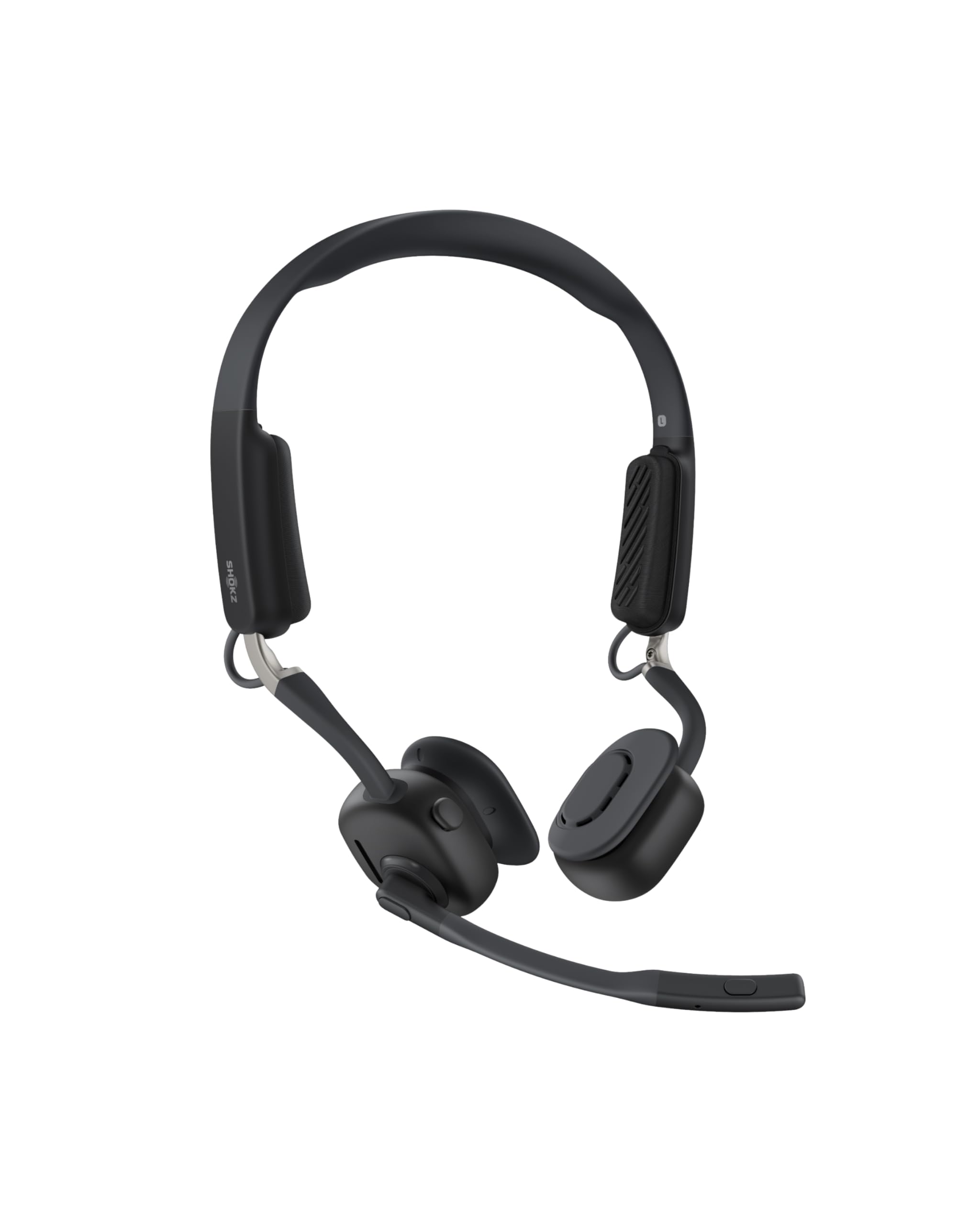
Read Amazon ReviewsSHOKZ OpenMeet
Choose OpenMeet if an open-ear fit and staying connected to your surroundings matter more than JBuds Work’s longer worktime; choose JBuds Work for its over-ear design, wired connection option and 60+ hour worktime.
- OpenMeet has an open-ear design, a battery life of up to 15 hours and a five-minute fast-charge option that provides two hours of talk time.
- JBuds Work uses an over-ear format with Cloud Foam earcups and offers 60+ hours of worktime on one charge.
Is JBuds Work Worth It?
JLab JBuds Work is worth considering if you need a work headset with wired and wireless connections, two-device multipoint, convenient call controls and 60+ hours of worktime.
Its strongest case is practical flexibility for a desk setup, especially when calls and listening share the same headset.
Choose it when an over-ear fit works for you and its microphone arrangement matches your call needs.
Consider another style if you prefer open-ear listening, and check call pickup in your own environment if microphone performance is a deciding factor.
Your review at a glance
1,000+ ratings
Read Amazon ReviewsJLab JBuds Work
A fit for desk workers who want wired or wireless connections, long worktime and headset controls in one over-ear design.
- Bluetooth connection to PC, Mac and mobile devices, with multipoint for two devices at once.
- Wired listening through the included USB-C to 3.5mm AUX cable.
- 60+ hours of worktime on one charge.
- Rotating boom microphone for calls or listening with the mic moved aside.